

Think Smarter, Not Harder
How NotebookLM Supports Teaching and Learning

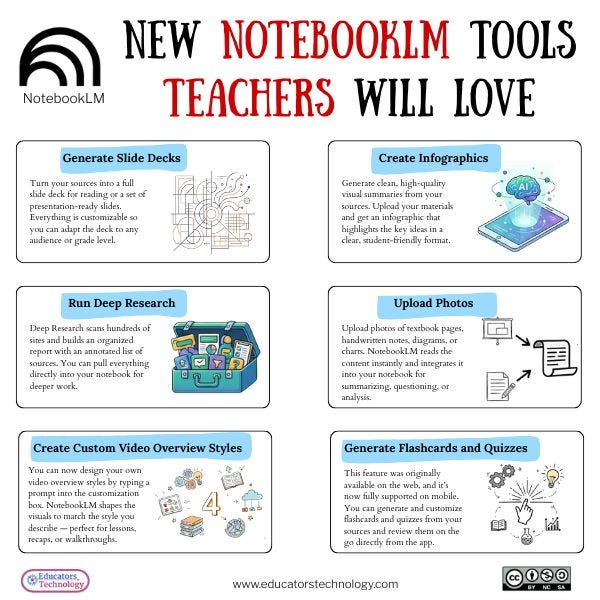
NotebookLM has introduced several updates that feel incredibly useful for teachers and librarians. Educators Technology pulled the information together, and I created this visual to highlight the features that stand out the most for our work. The one thing that really excites me about NotebookLM is the ability to tailor the data set. I have not found another AI tool that handles this in the same way. I can control exactly what information it draws from, which matters a great deal when working with students. The podcast feature has also been a game changer for learners who need different ways to connect with materials.
Slide Deck Generation
Upload your sources and NotebookLM builds a full slide deck with structure, visuals, and a script. It handles the layout so you can stay focused on instruction.
Infographics Creation
You can now turn notes or documents into clean infographics. NotebookLM identifies the key ideas and shapes them into a visual summary that students can understand quickly.
Deep Research
This scans hundreds of sites, organizes the findings, and creates an annotated source list. You can pull everything into your notebook to support deeper thinking and lesson design.
Photo Upload
Upload photos of textbook pages, handwritten notes, or diagrams. NotebookLM reads and adds the content to your notebook so nothing is lost.
Custom Video Overview Styles
Describe the look you want in the customization box and NotebookLM adapts the visuals to match your style. It keeps your video overviews consistent with your classroom or library branding.
Flashcards and Quizzes on Mobile
Flashcard and quiz generation is now available on mobile. You can create, customize, and review learning materials wherever you are.
Final Thoughts
Of course, no AI tool is perfect and it continues to be more than a little inaccurate, but my hope is that we see more products like NotebookLM that let us set limits and constraints while still leveraging the benefits. NotebookLM continues to grow into a practical and powerful tool for classroom and library work. These features save time, support differentiation, and create new pathways for students to engage with content. I am excited to keep exploring what is possible and to see how others use these updates to support learning.
Inspired by a post by Educators Technology.com via Facebook